| 
| 
| 
|
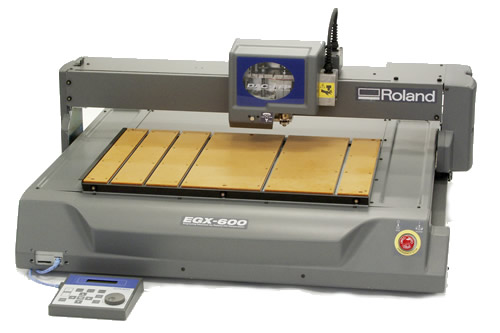
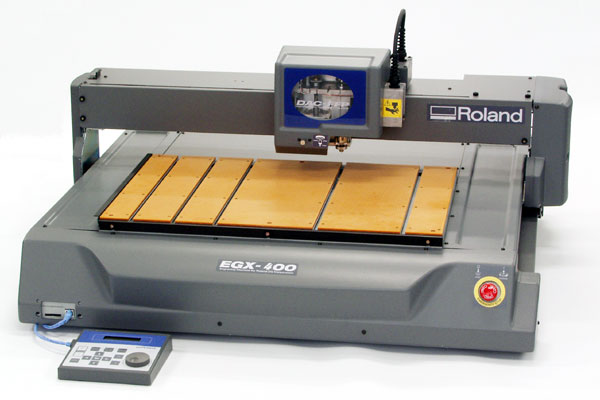
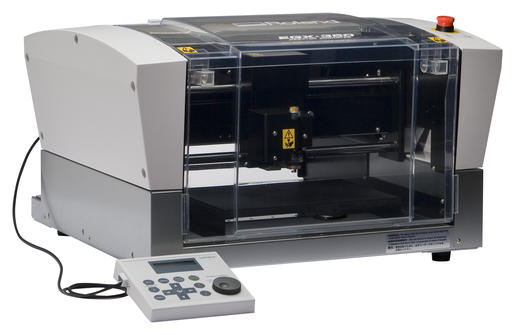
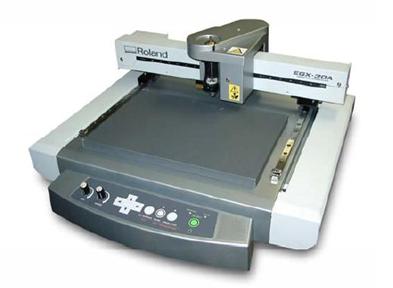
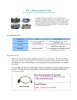
| EGX-600 | EGX-400 | EGX-350 | EGX-30A |
INDEX
Common FAQs and Videos:
- PIT Utility: support_pit.phtml
- ADA Braille: workbench_braille.phtml
- Fonts Workbench: workbench_fonts.phtml
- Bed Leveling Kit: faq_bed_level.phtml
- Braille Workbench: workbench_braille.phtml
- Hold-Down Material: faq_multimat.phtml
- Engravers Workbench: workbench_engravers.phtml
- Rhinestone Workbench: workbench_rhinestone.phtml
- Engraving Dictionary: workbench_gravers.phtml
- Educational Workbench: workbench_edu.phtml
- ChipSys Removal System: faq_chipsys.phtml
- RWear Studio Application: support_rwear_studio.phtml
- Roland Jewellers Workbench: workbench_jewelers.phtml
- Graver (Cutting Tool) Workbench: workbench_gravers.phtml
| 
| 
| 
| 
| 
| 
| 
| 
| 
|
| EGX Vise Sales | Color Fill | Rotary Engraving | General Engraving | Engraving For Profit | USB/Vista Install | EngraveLab/ Braille | Cancel a Job | Engraving Sheet | Engraver Roster 2005 |
| 
| 
| 
| 
| 
| 
|
| ZB-20 Install | EGX Accessories | Cut Out Letters Video | Medalion Video | Pen Video | Pin Jig Video | Ruler Video |

| 
| 
| 
| 
| 
| 
| 
|
| ADA Brief | Braille/ EngraveLab | EGX ADA Sign Creation | Power Save Failure | EGX Rhinestone | Indoor ADA | Engrave Studio Vectorizing | Dr. Engrave Vectorizing |
EGX-600, EGX-400 FAQs and Videos:
| 
| 
| 
| 
| 
| 
|
| EGX 400/600 Brochure v2 | EGX 400/600 Brochure v1 | Hardware Setup | Overview | Quick Vise Video | Diamond Scribe Video | Plastic Engrave Video |
| 
| 
| 
|
| Quick Vise Install | EGX-Pro Braille Demo | EGX-Pro Packing | Software Install |
EGX-350 FAQs and Videos:

| 
| 
| 
| 
| 
|
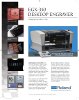
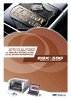
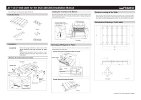
| Diamond Grave Video | Plastic Engr. Video | EngraveStudio Slipsheet | Hardware Setup | Vise Install Video | Rotary Engrave Video |
| 
| 
| 
| 
| 
| 
|
| EGX-350 Brochure R4 | EGX-350 Applications | EGX-350 Brochure R2 | Brochure Spanish | EGX-350 ADA 1 | EGX-350 ADA 2 | Slot Table Install |
EGX-30A FAQs and Videos:

| 
| 
| 
| 
| 
| 
|
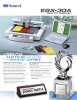
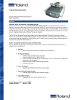
| EGX-30A Hardware Setup | EGX-30A Datasheet | EGX-30A FAQ English | EGX-30A FAQ Spanish | EGX-30A Prod Info English | EGX-30A Prod Info Spanish | EGX-30A Rhinestone |
Special Notes on Common Problems:
- The most common problem with using Serial/Parallel on the EGX-20, EGX-30, EGX-300, EGX-400, EGX-600 is when using serial communication the flow control is set to "none". This causes the machine to lose X/Y position control after starting the job. Please ensure this is set to "hardware" flow control.
- The most common problem with using the EGX-300 is that the machine Z1 and Z2 are over-ridden by software settings in the print driver. Set the Z0 on the machine and then set Z1/Z2 in the print driver. Z1 must be less than Z0, and Z2 must be above Z0.
- The most common service issue is Z-motor burnout due to jobs being stopped with the emergency switch on the front of the machine, but without clearing the print buffer. This leaves the job with data on the computer, and when the engraver is powered back on again the residual data flows in at a random Z-height. In the worst case, the head gets driven towards the table and the motor gets overstressed.
EGX Model Timeline:
| EGX-20 | introduced | 200205 | EOL'd | 201602 | first/last version |
| EGX-30 | introduced | 200109 | EOL'd | 200902 | replaced CS-20, replaced by EGX-30A |
| EGX-30A | introduced | 200902 | replaced EGX-30 | ||
| EGX-300 | introduced | 200109 | EOL'd | 200712 | replaced PNC-2300A, replaced by EGX-350 |
| EGX-350 | introduced | 200712 | EOL'd | 201903 | replaced EGX-300, replaced by DE-3 |
| EGX-360 | introduced | 200812 | EOL'd | 201505 | first/last version |
| EGX-400 | introduced | 200205 | EOL'd | 202004 | replaced PNC-2700 |
| EGX-600 | introduced | 200205 | EOL'd | 202004 | replaced PNC-2700 |